ScriptureCast
Helping congregations stay connected to every scripture reference without interrupting the flow of worship.
Project Summary
Category
FaithTech
Project Type
Collaborative Project
Role
Product Designer & Frontend Developer
Platform
Responsive Web Application
Desktop Application
Status
Live
Team
Collaborative Project
Responsibilities
- Designed the user interface.
- Designed user flows and interaction patterns.
- Built the frontend application.
- Contributed to prompt engineering for scripture recognition.
- Tested and refined the product before deployment.
- Collaborated with the team throughout the development lifecycle.
Technology Stack
- FastAPI (Python)
- Websockets
- Vanilla HTML5
- CSS3
- JavaScript
- Tauri
- SoundDevice
- Numpy
- SciPy
- Scikit-learn
- Joblib
- Python-JOSE
- Passlib/Bcrypt
- Psychopg2
- AssemblyAI
- Railway
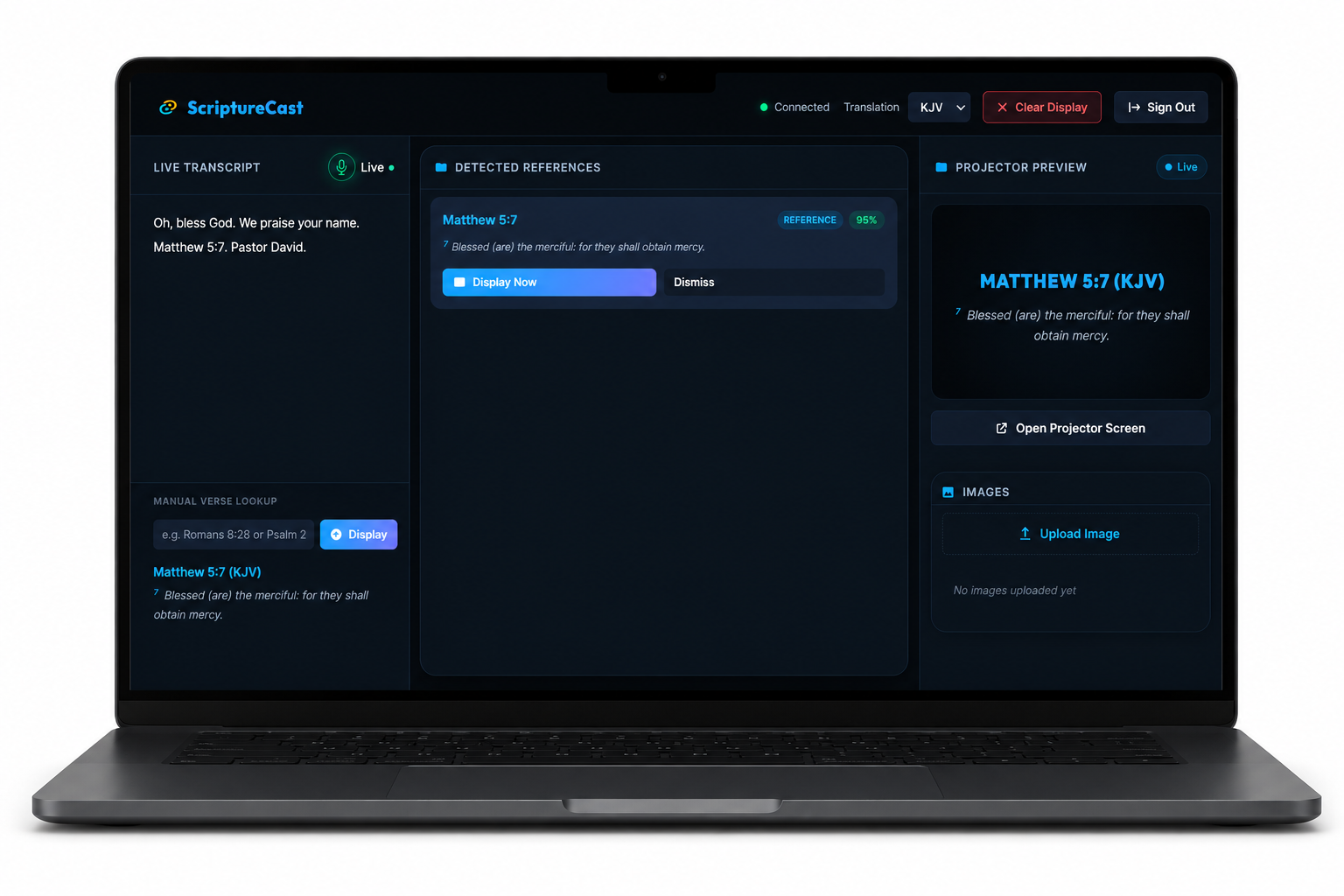
Project Links
Live Application
https://scripturecast.onrender.com/
The Story
ScriptureCast began with a simple observation during church services.
Whenever a preacher referenced a Bible passage, there was often a noticeable delay before the scripture appeared on the projection screen. During those moments, members of the congregation either waited for the verse to appear, searched for it in their own Bibles, or lost focus while trying to keep up with the sermon.
One of my teammates recognized this recurring problem and proposed an idea:
What if scripture references could be detected automatically as the preacher spoke and displayed instantly without requiring manual intervention?
As we explored the concept further, we realized the problem wasn't simply about displaying Bible verses faster.
It was about helping congregations remain engaged with the message without unnecessary interruptions.
That idea became ScriptureCast.
Research & Discovery
Unlike some of my other projects, ScriptureCast wasn't inspired by personal frustration alone.
The idea originated from a teammate's observation during church services.
As we discussed the problem together, we realized that nearly every church using projection software experienced the same challenge.
The issue wasn't the projector.
It wasn't the presentation software.
The delay came from the manual process of listening, searching, and displaying scripture references in real time.
This insight shaped the direction of the product.
Instead of replacing projection software, ScriptureCast would automate one of the most repetitive tasks performed during live services.
Product Vision
ScriptureCast was designed to become an invisible assistant during church services.
Rather than requiring operators to constantly search for scripture references manually, the platform listens continuously, identifies Bible passages in real time, and prepares them for instant projection.
The goal is not to replace projection teams.
The goal is to allow them to focus on supporting the service while ScriptureCast handles scripture recognition automatically.
Technology should quietly support worship—not become the center of it.
Target Users
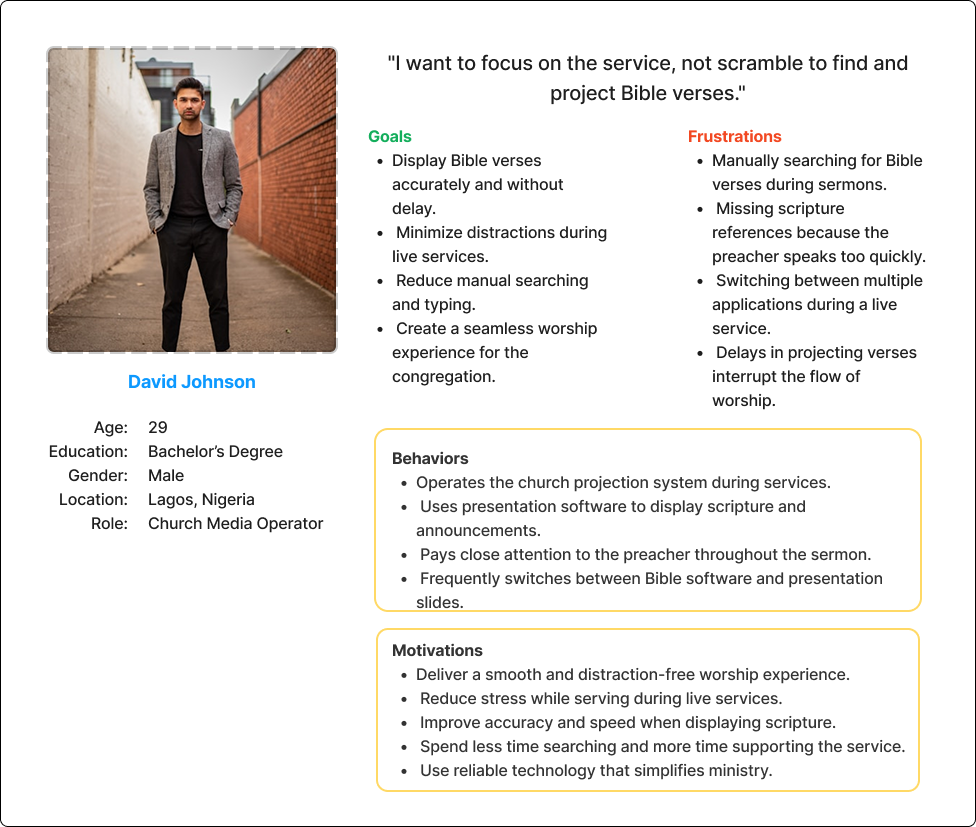
Primary users include:
- Church projection operators.
- Media teams.
- Worship teams.
- Church administrators.
Secondary users include:
- Bible study groups.
- Conferences.
- Christian events.
- Ministries hosting live teaching sessions.
Although these users serve different roles, they all share the same objective:
Deliver scripture to the congregation quickly, accurately, and without disrupting the flow of worship.
MVP Features
Auto-Detect Verses
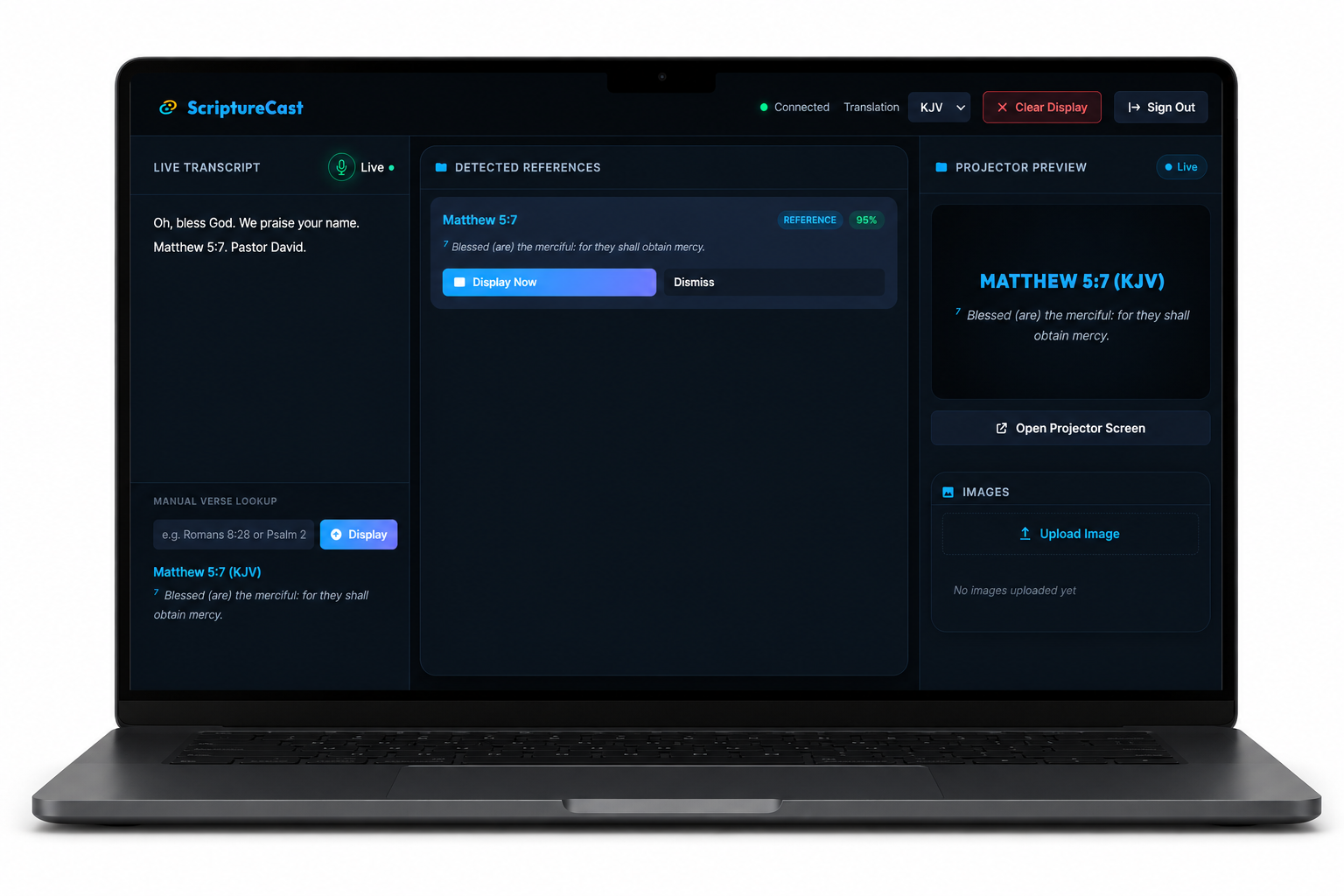
Rather than waiting for an operator to manually search for passages, the application automatically detects scripture references as the preacher speaks.
Live Transcription
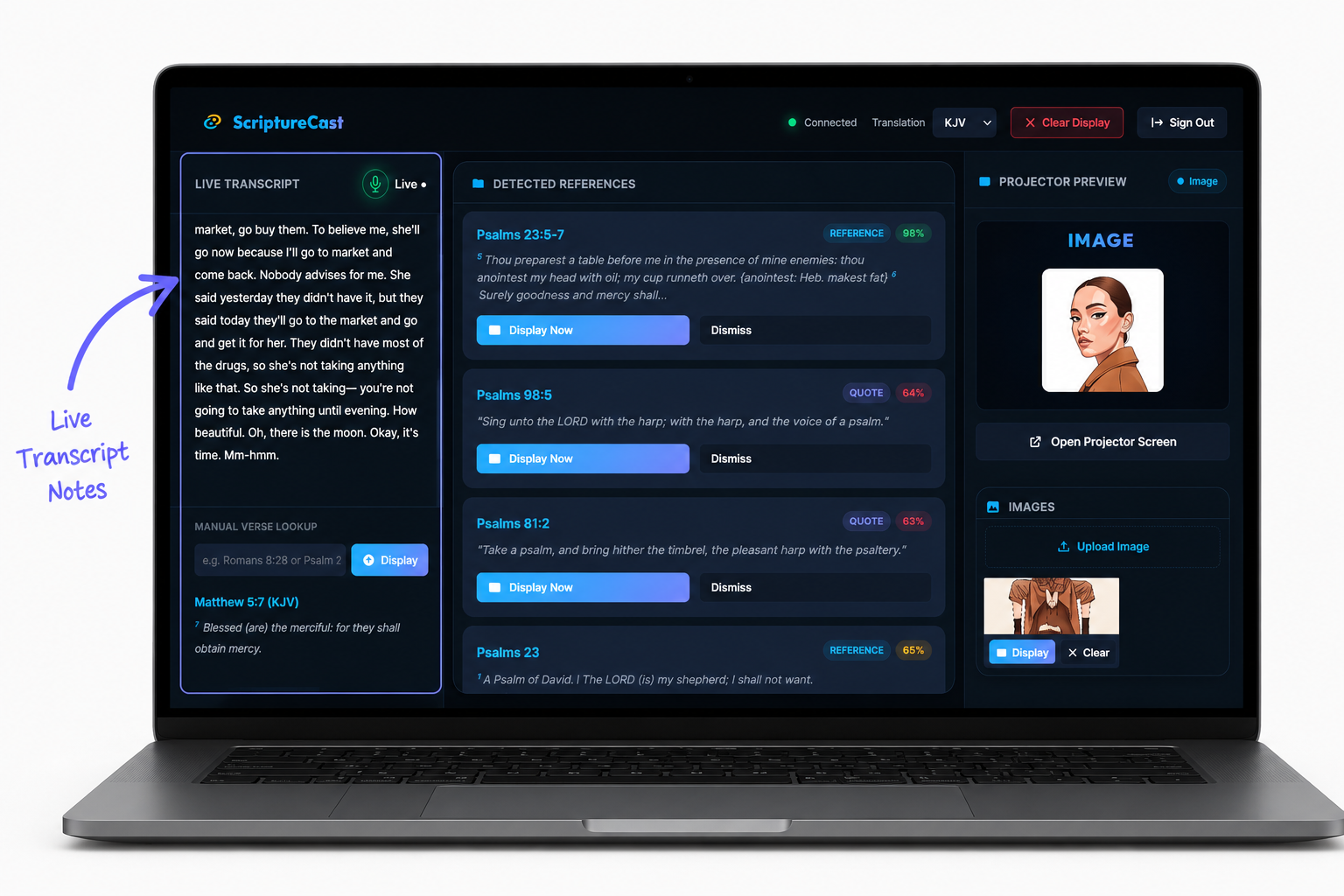
ScriptureCast continuously transcribes the sermon as it is being preached.
The live transcript creates a running record of the message while serving as the foundation for scripture recognition.
Semantic Scripture Search
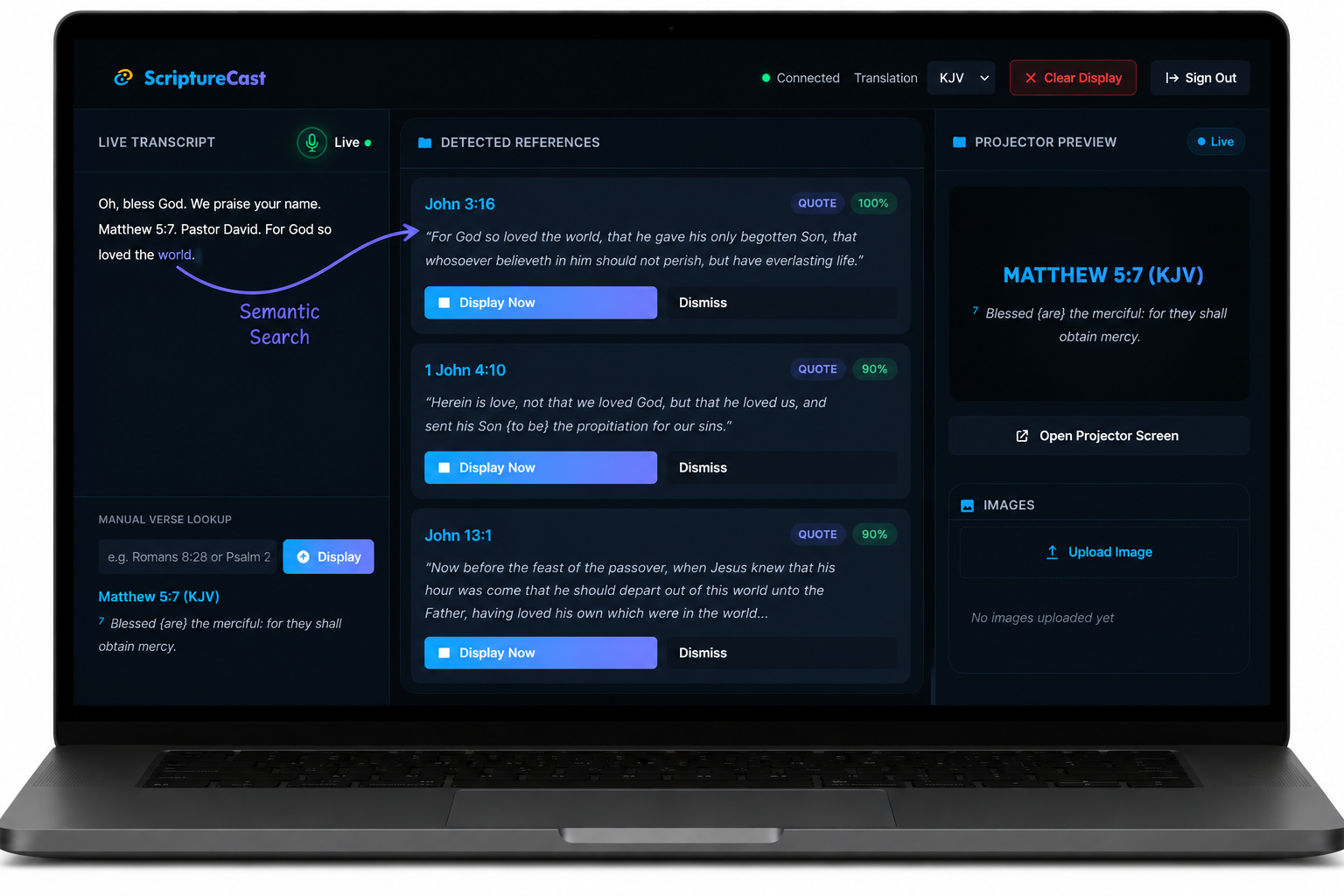
Preachers don't always quote scripture exactly as it appears in the Bible.
Sometimes they paraphrase, sometimes they quote only part of a verse, other times they mention the reference after quoting it.
To handle these scenarios, ScriptureCast uses semantic search techniques that identify the intended scripture even when the wording isn't an exact match.
Dashboard & Projector Mode
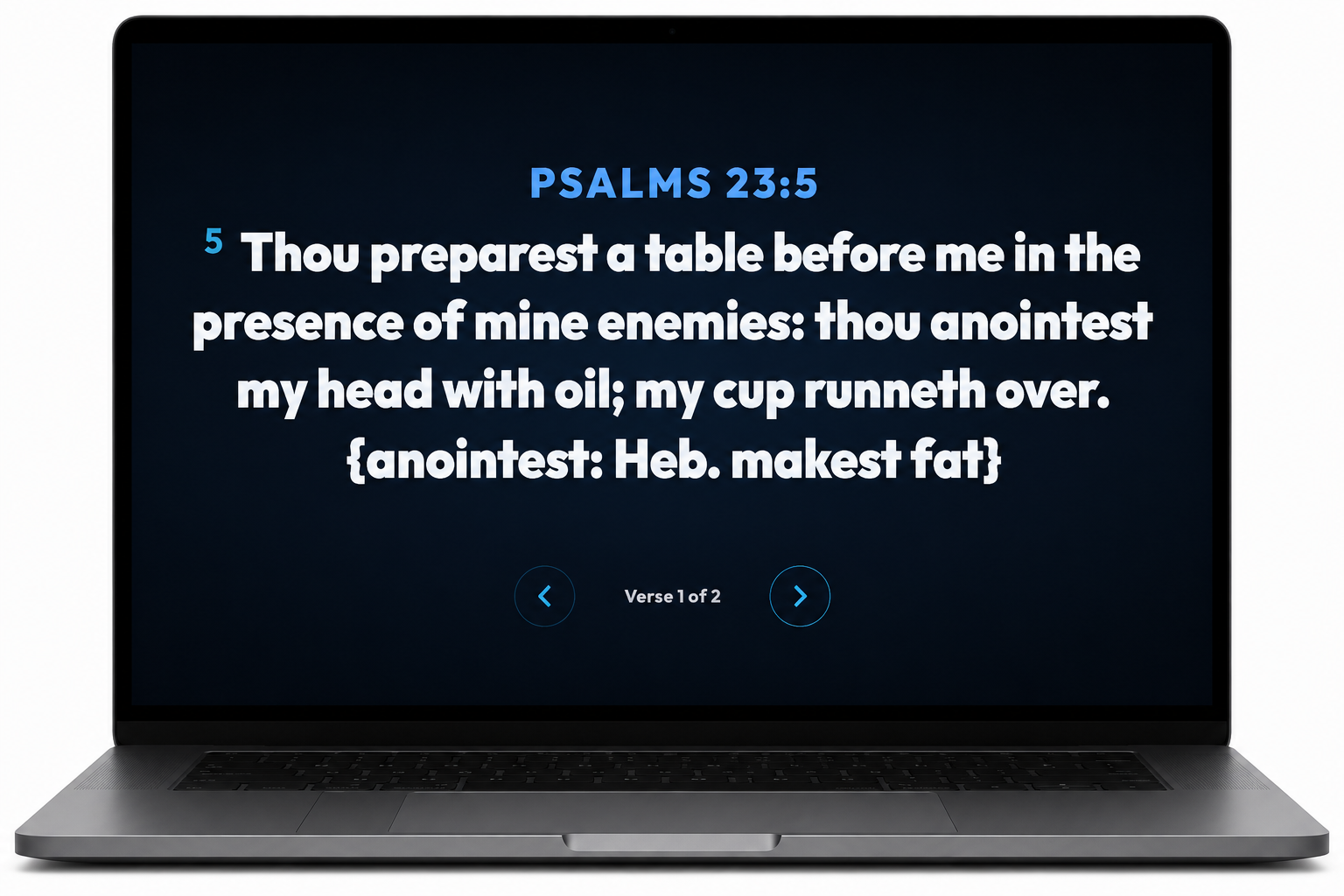
One of the most important UX decisions was separating the operator interface from the congregation display.
The operator dashboard provides monitoring tools and controls without exposing technical elements to the audience.
Meanwhile, the projector view remains clean, distraction-free, and optimized for readability during worship services.
Image Upload
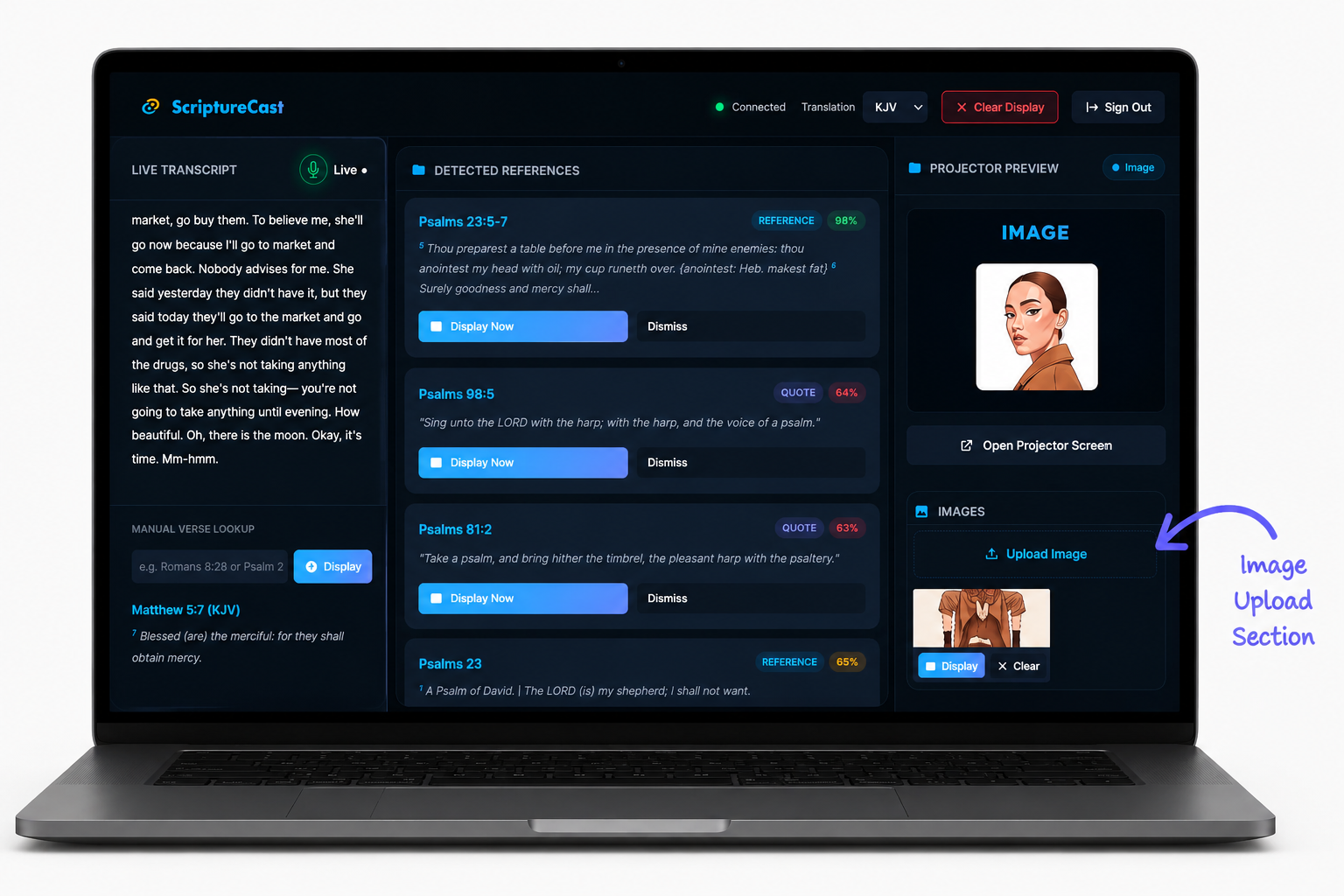
Upload and display custom images when scripture verses are not being projected, allowing churches to seamlessly present announcements, event flyers, welcome slides, sermon graphics, or other visual content without leaving the platform.
Multiple Bible Translations
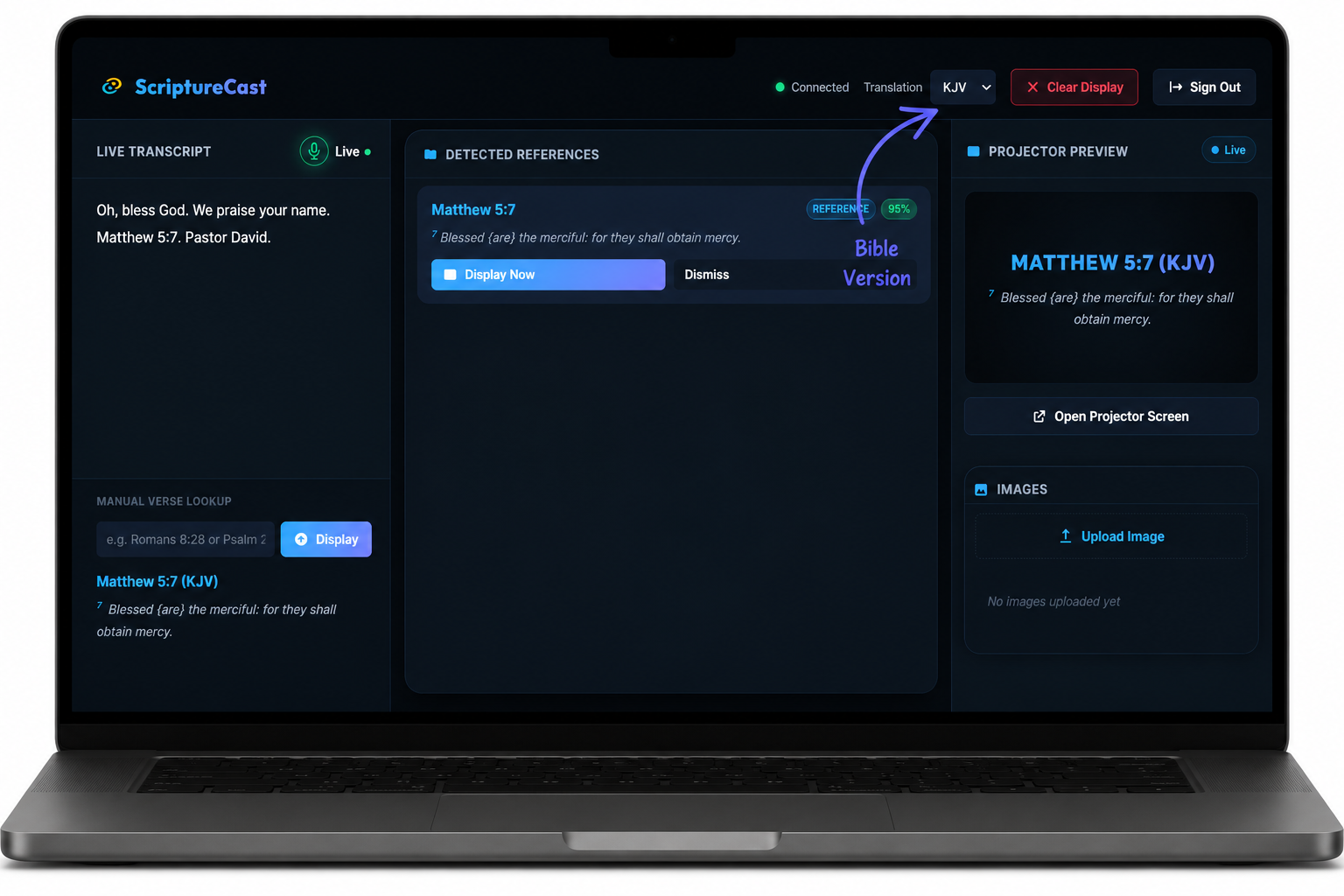
ScriptureCast allows operators to switch between supported translations without interrupting the service.
Desktop Application
The desktop experience provides improved performance, native installation, and automatic updates while fitting naturally into existing church media workflows.
User Flow
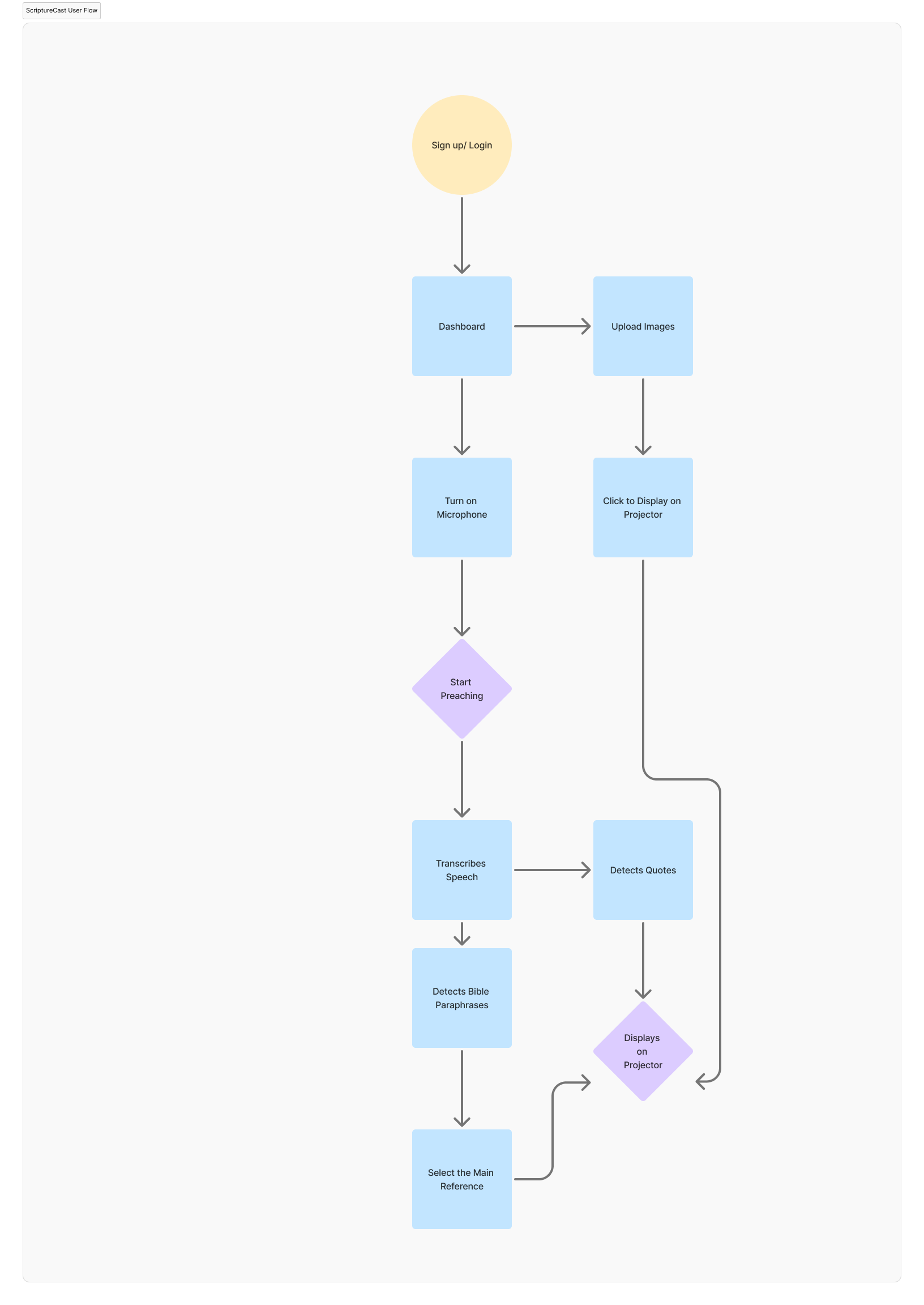
The goal was to make ScriptureCast feel almost invisible during worship, allowing technology to support the service without becoming a distraction.
Wireframes
Early wireframes focused on speed, clarity, and ease of operation.
Key design priorities included:
- Minimal operator interaction.
- Clear visual hierarchy.
- Fast recognition feedback.
- Readable projector layouts.
- Low cognitive load during live services.
Multiple iterations helped refine both the operator dashboard and projector interface before visual design began.
Challenges
Real-Time Transcription
One of the biggest technical challenges was achieving transcription that felt instantaneous.
The application needed to continuously listen to the preacher while converting speech into text with minimal latency.
Even a short delay between spoken words and transcription could affect every stage of the recognition pipeline.
Optimizing transcription speed became one of the most important engineering priorities throughout development.
Matching Partial Scripture References
Preachers rarely quote scripture exactly as it appears in the Bible.
Sometimes they quote only part of a verse.
Sometimes they paraphrase.
Sometimes they reference a passage without mentioning the book and chapter immediately.
Recognizing these variations required extensive prompt engineering and semantic matching techniques capable of understanding intent rather than relying only on exact keyword matches.
This became one of the most technically demanding aspects of the product.
Delivering Scripture Without Delay
Recognition alone wasn't enough.
After identifying the correct passage, ScriptureCast also needed to retrieve the verse and prepare it for projection almost immediately.
Every stage, from transcription to scripture matching to display, had to work together with as little latency as possible.
The challenge wasn't simply displaying the correct verse.
It was displaying the correct verse at exactly the right moment.
If We Continued Building ScriptureCast
Although ScriptureCast successfully solves the core problem of real-time scripture recognition, several opportunities remain for future development.
Expand Bible Translation Support
Supporting a broader collection of Bible translations would make ScriptureCast suitable for more churches, denominations, and ministries around the world.
Improve Noise Cancellation
Future versions would introduce stronger noise cancellation and audio processing techniques to improve transcription accuracy across different worship settings.
AI Sermon Notes
As sermons are transcribed in real time, the platform could automatically generate structured sermon notes containing:
- Key teaching points.
- Scripture references.
- Important quotes.
- Actionable takeaways.
This would allow members to revisit sermons, share notes, and continue learning long after the service has ended.
Key Learnings
This project strengthened my ability to:
- Design products for real-time environments.
- Balance speed with accuracy.
- Build responsive user interfaces.
- Apply prompt engineering to solve practical problems.
- Collaborate effectively within a multidisciplinary team.
- Design technology that quietly supports meaningful human experiences.
Most importantly, ScriptureCast reinforced that the best technology often feels invisible—it simply removes friction so people can focus on what matters most.
Closing Thoughts
ScriptureCast began with a simple observation: a few seconds of delay in displaying Bible verses could interrupt the rhythm of a sermon and distract the congregation.
By combining real-time transcription, semantic scripture matching, and fast projection, we transformed that observation into a practical solution that supports churches without changing how they worship.
For me, this project reinforced an important principle that continues to shape my work as a product designer and product engineer:
The best products don't demand attention—they quietly remove friction, allowing people to stay focused on what truly matters.