SpendWise
Helping people understand where their money goes, one expense at a time.
Project Summary
Category
FinTech
Project Type
Personal Project
Role
Product Engineer
Platform
Responsive Web Application
Status
Live
Team
Solo Project
Responsibilities
- Product Strategy
- UX Research
- Information Architecture
- User Flow Design
- Wireframing
- UI Design
- Design System
- Product Engineering
- Frontend Development
- Firebase Integration
Technology Stack
- Next.js
- TypeScript
- Tailwind CSS
- Firebase
- Chart.js
- Antigravity
- PostgreSQL
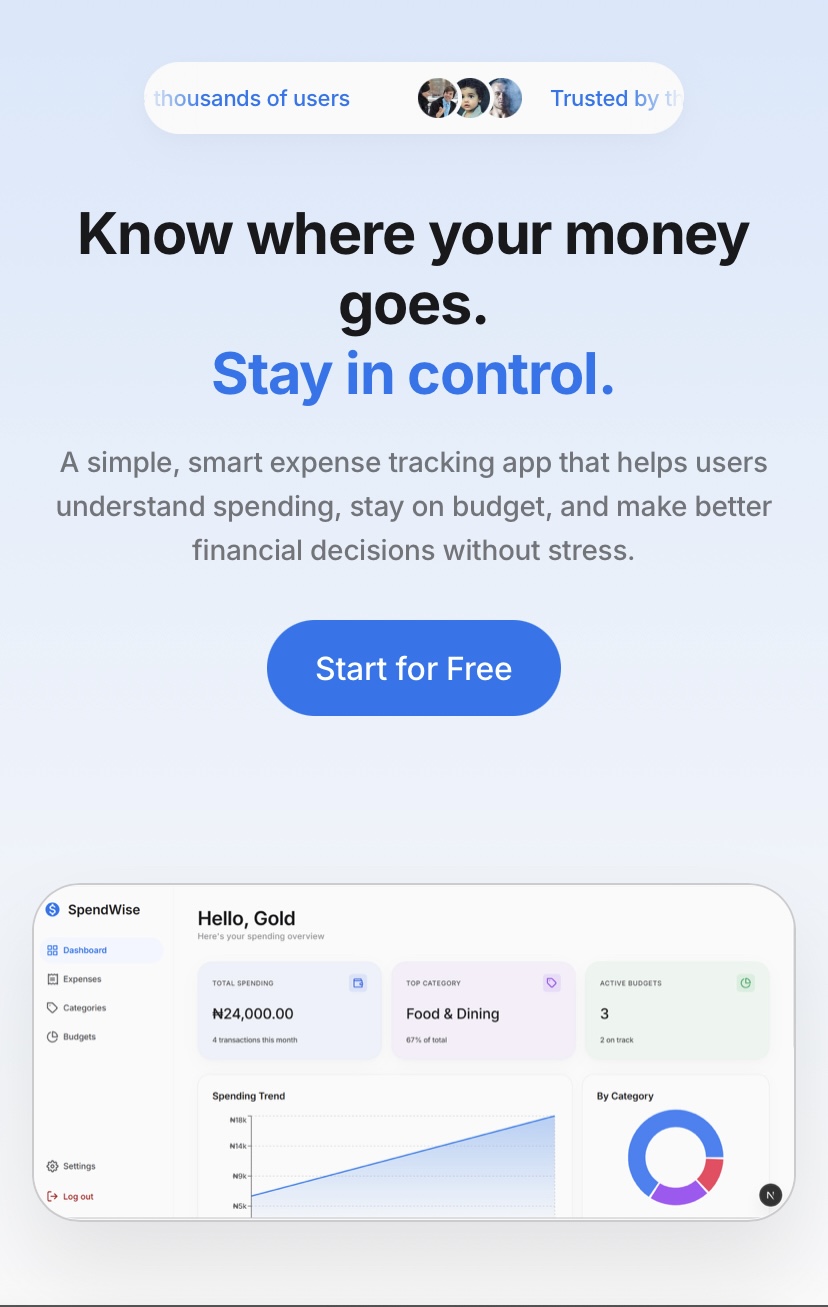
Project Links
Live Application
https://spendwise-app-jiv1.vercel.app/
The Story
SpendWise started with a problem I experienced myself.
Like many people, there were moments when I checked my account balance and genuinely couldn't explain where my money had gone. As I paid more attention to conversations online, I realized I wasn't alone.
People constantly joked about spending money without knowing exactly how it disappeared. Many admitted they had to sit down and mentally reconstruct every purchase they could remember before understanding how they had spent their income.
Behind the jokes was a genuine problem. People weren't always overspending, they simply lacked visibility into their daily spending habits.
That observation inspired SpendWise. Rather than building another feature-heavy personal finance application, I wanted to create a simple tool that helps people record expenses consistently and immediately understand where their money is going.
Research and Discovery
Managing money begins with understanding how it is spent. Yet for many people, expense tracking quickly becomes something they abandon.
Some applications feel too complicated, others require too much effort to maintain. As a result, many people stop recording expenses altogether and eventually lose visibility into their finances.
Without consistent tracking, budgeting becomes difficult and financial decisions become reactive instead of intentional.
This raised an important question: How might we make expense tracking simple enough that people actually continue using it?
Key Insights
Several insights shaped the direction of SpendWise.
People don't intentionally lose track of money.
They simply forget to record expenses as they happen.
Simplicity encourages consistency.
The easier it is to log an expense, the more likely users are to build the habit.
Awareness comes before budgeting.
Before people can improve their finances, they first need a clear picture of where their money is going.
Good financial habits begin with visibility.
Helping users understand their spending creates a stronger foundation for better financial decisions over time.
Target Users
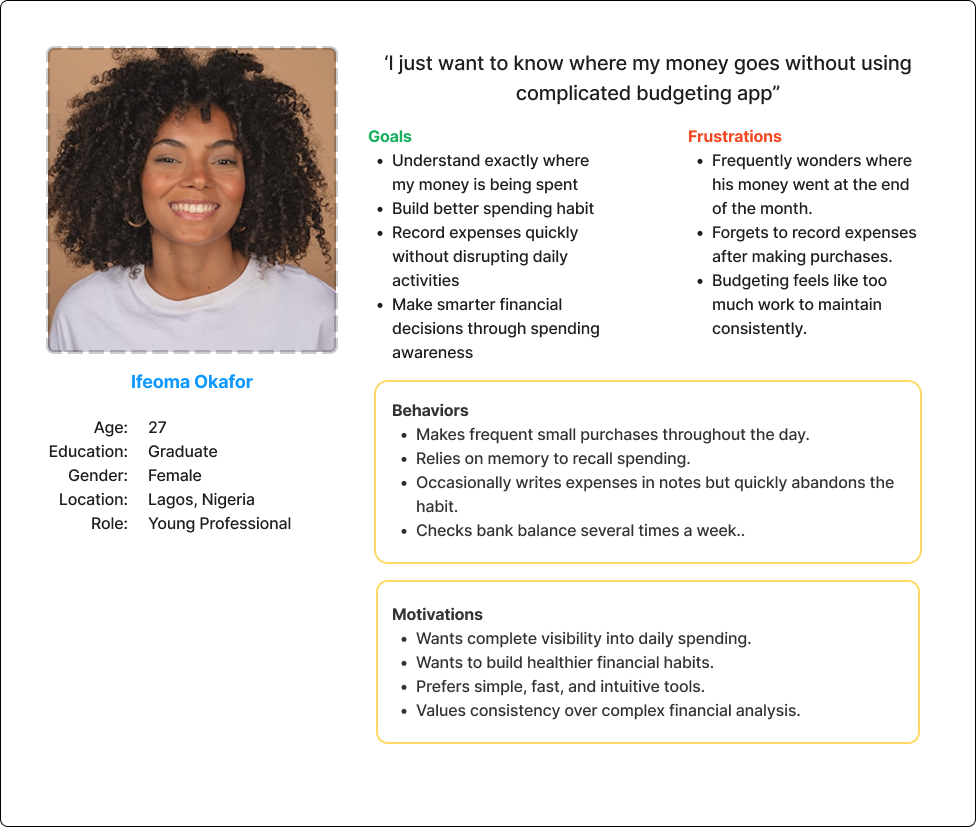
Primary users include:
- Students.
- Young professionals.
- Freelancers.
- Individuals managing personal budgets.
Secondary users include:
- Anyone building healthier financial habits.
- People new to budgeting.
- Users looking for a lightweight alternative to traditional finance applications.
Although these users have different financial goals, they all share the same need:
A simple way to understand where their money goes.
MVP Features
Dashboard Overview
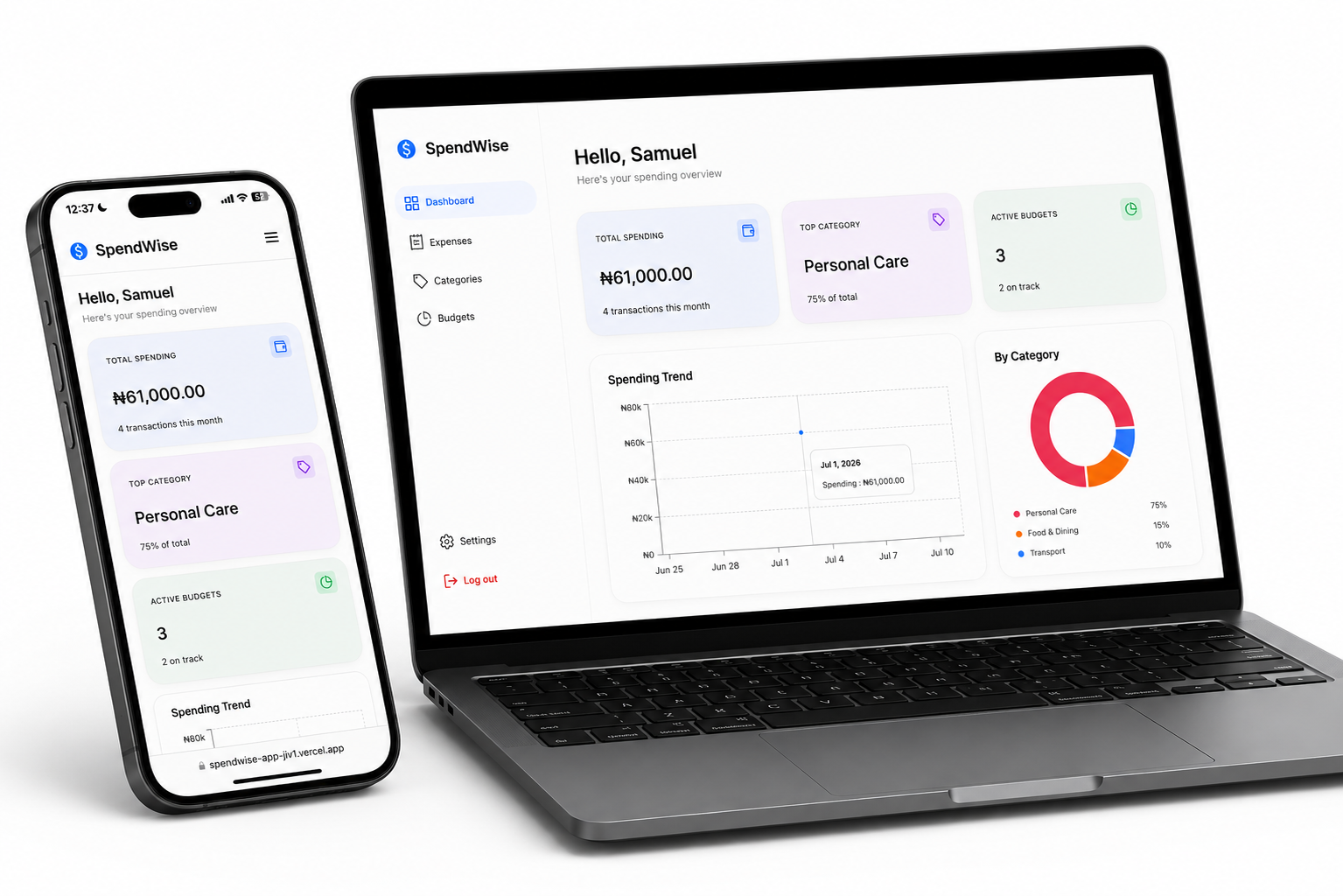
The dashboard gives users an immediate understanding of their financial activity.
Instead of navigating through multiple screens, users can quickly view:
- Monthly spending
- Budget progress
- Recent transactions
- Spending insights
The dashboard was intentionally designed to answer one question immediately: "How am I doing financially?"
Expense Tracking
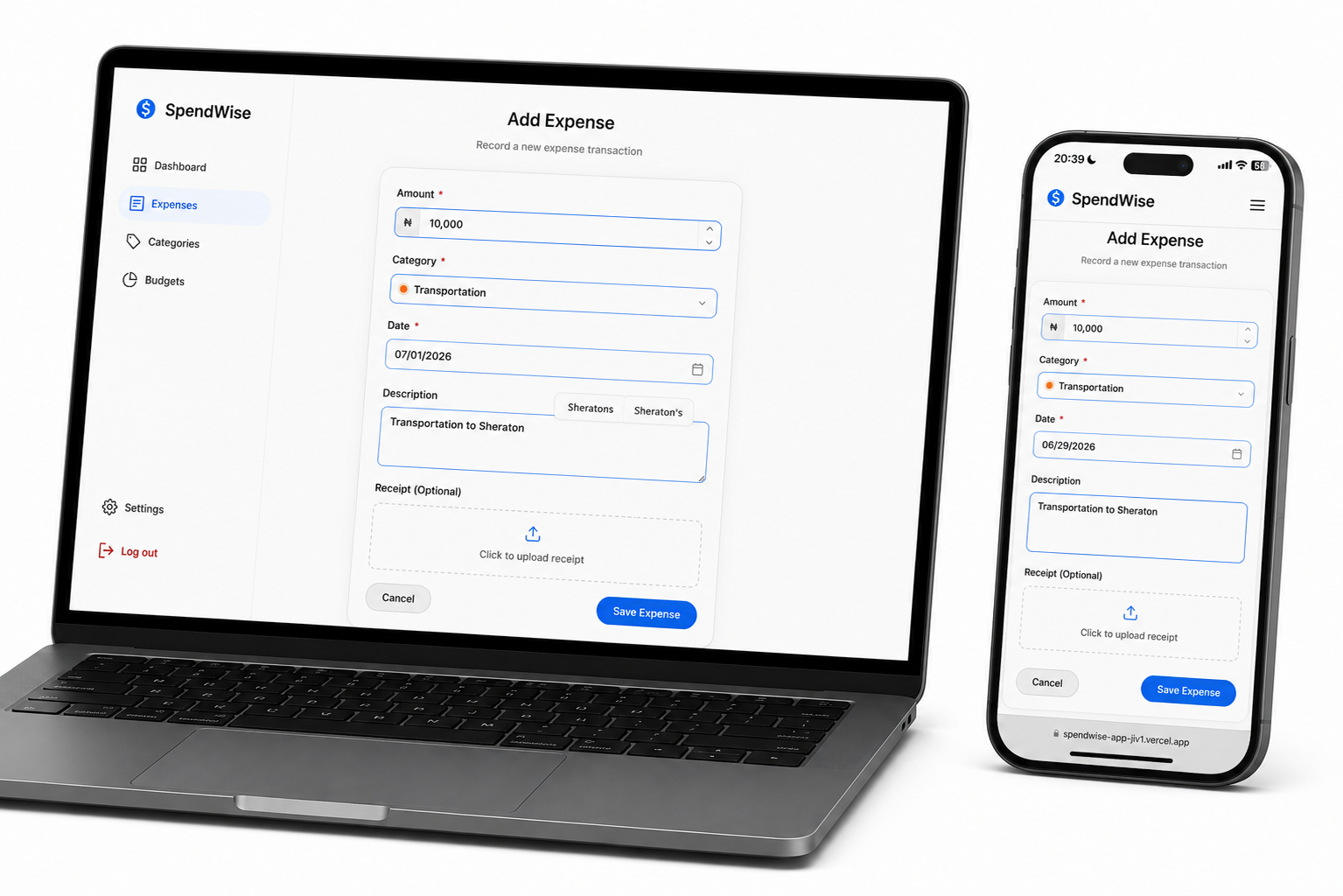
Users can quickly add expenses by entering:
- Amount
- Category
- Description
- Receipt (optional)
- Date
The process is intentionally lightweight to reduce friction and encourage consistent tracking.
Budget Management
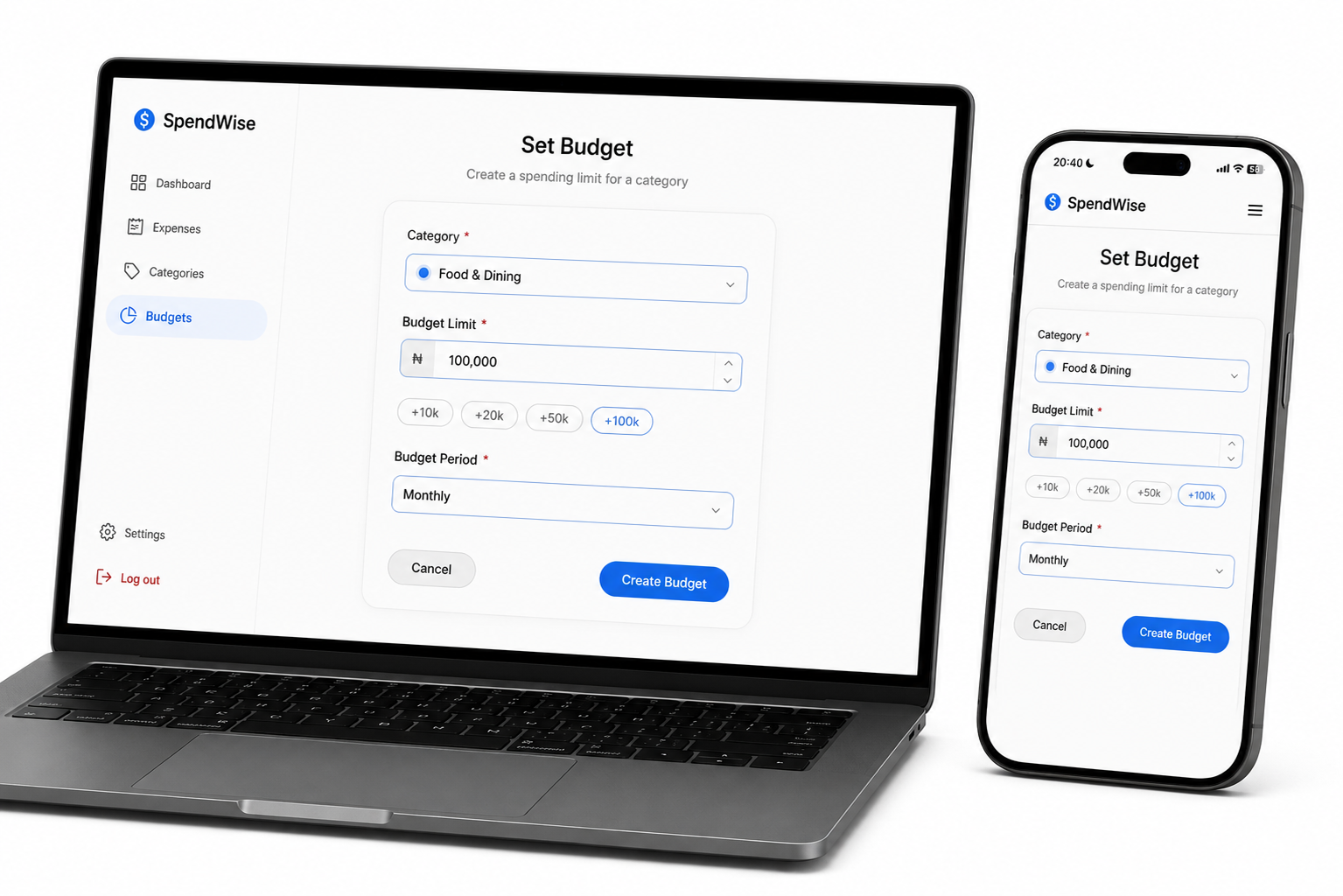
Budgets help users compare their spending against personal financial goals.
Instead of presenting complicated financial reports, SpendWise gives users a simple visual indication of how their spending compares to their budget. This helps users make adjustments before overspending.
Spending Analytics
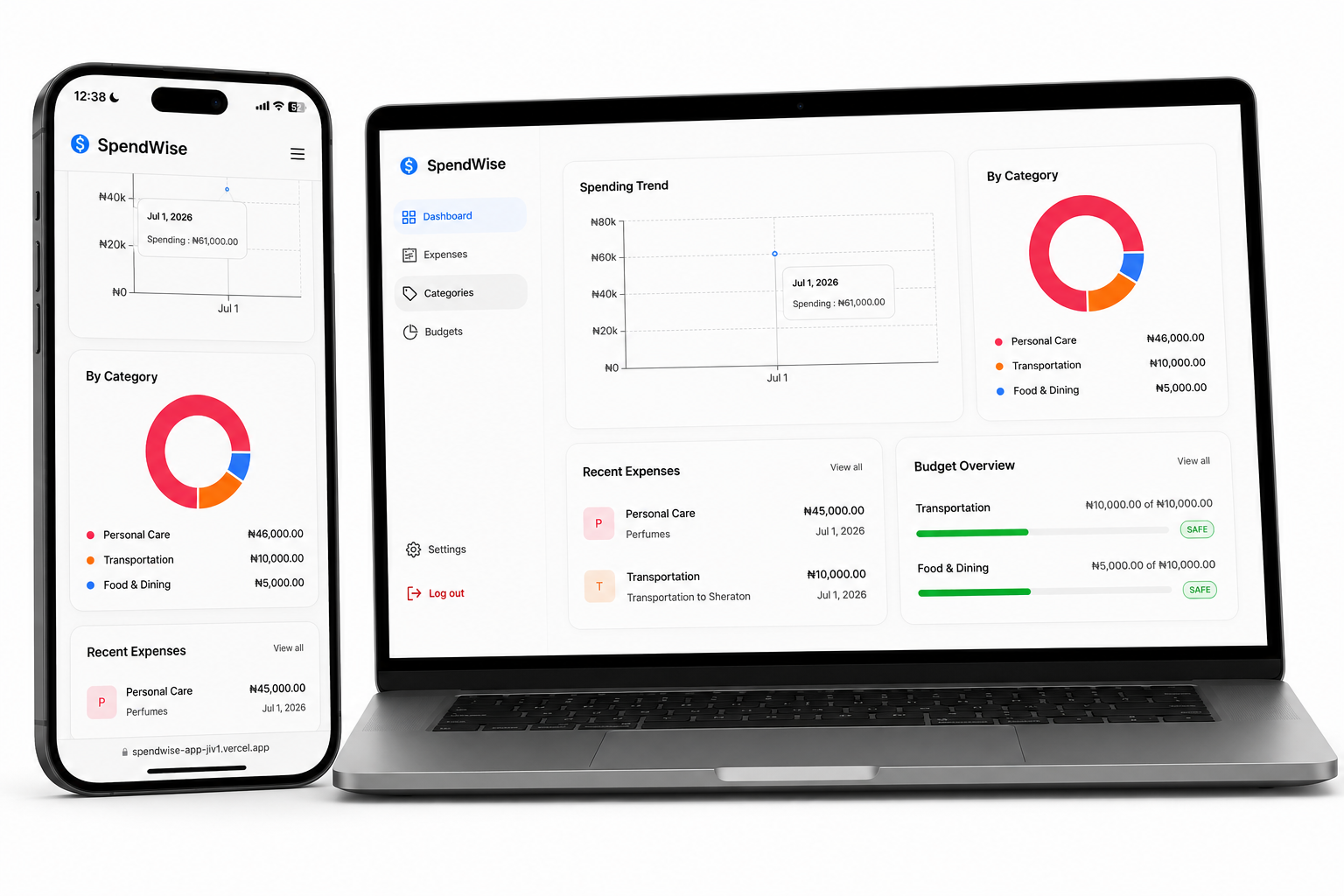
SpendWise presents visual insights through charts and category breakdowns, allowing users to identify where most of their money goes over time.
Spend Notifications
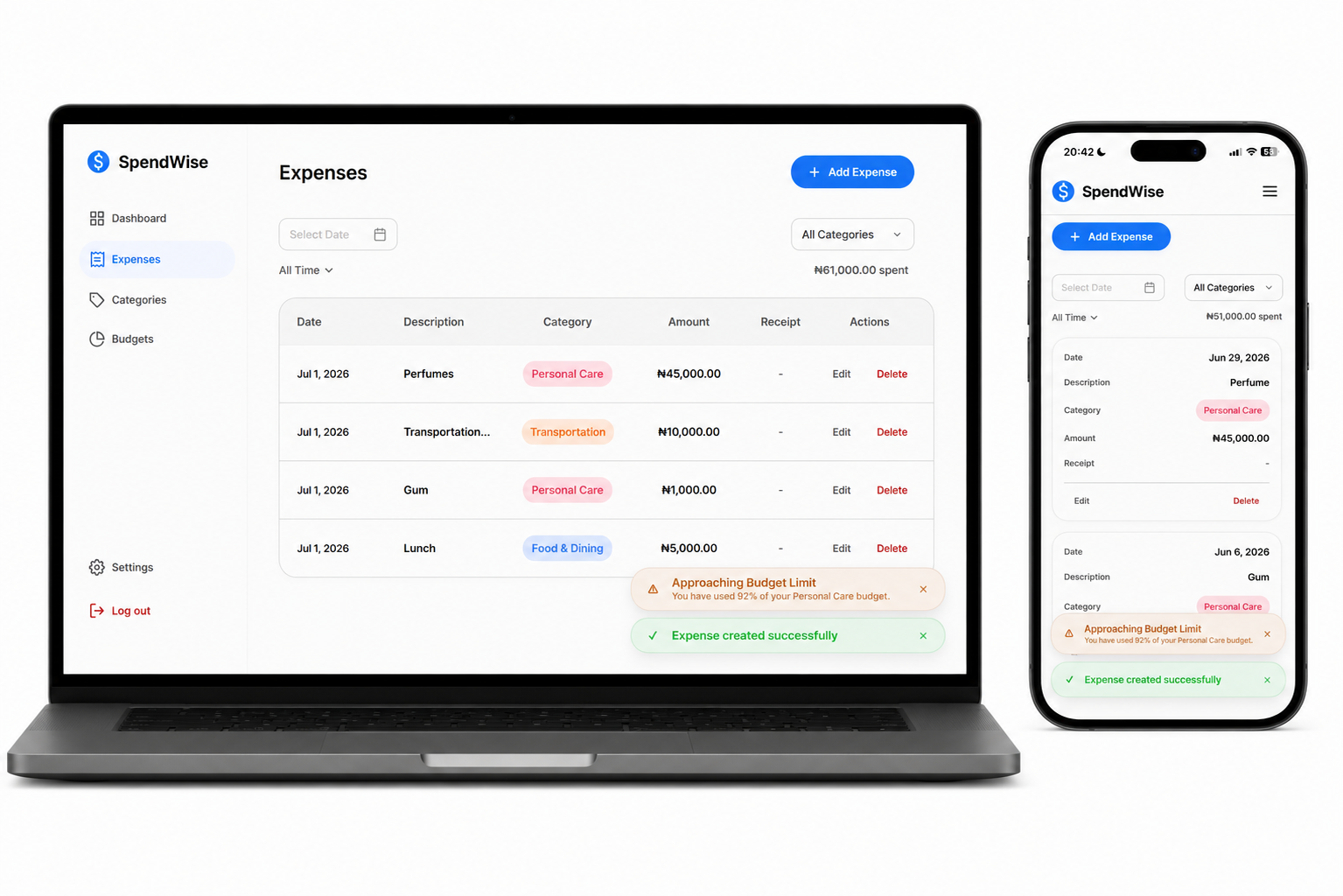
SpendWise includes gentle reminders that let users know their spending limits.
Transaction History
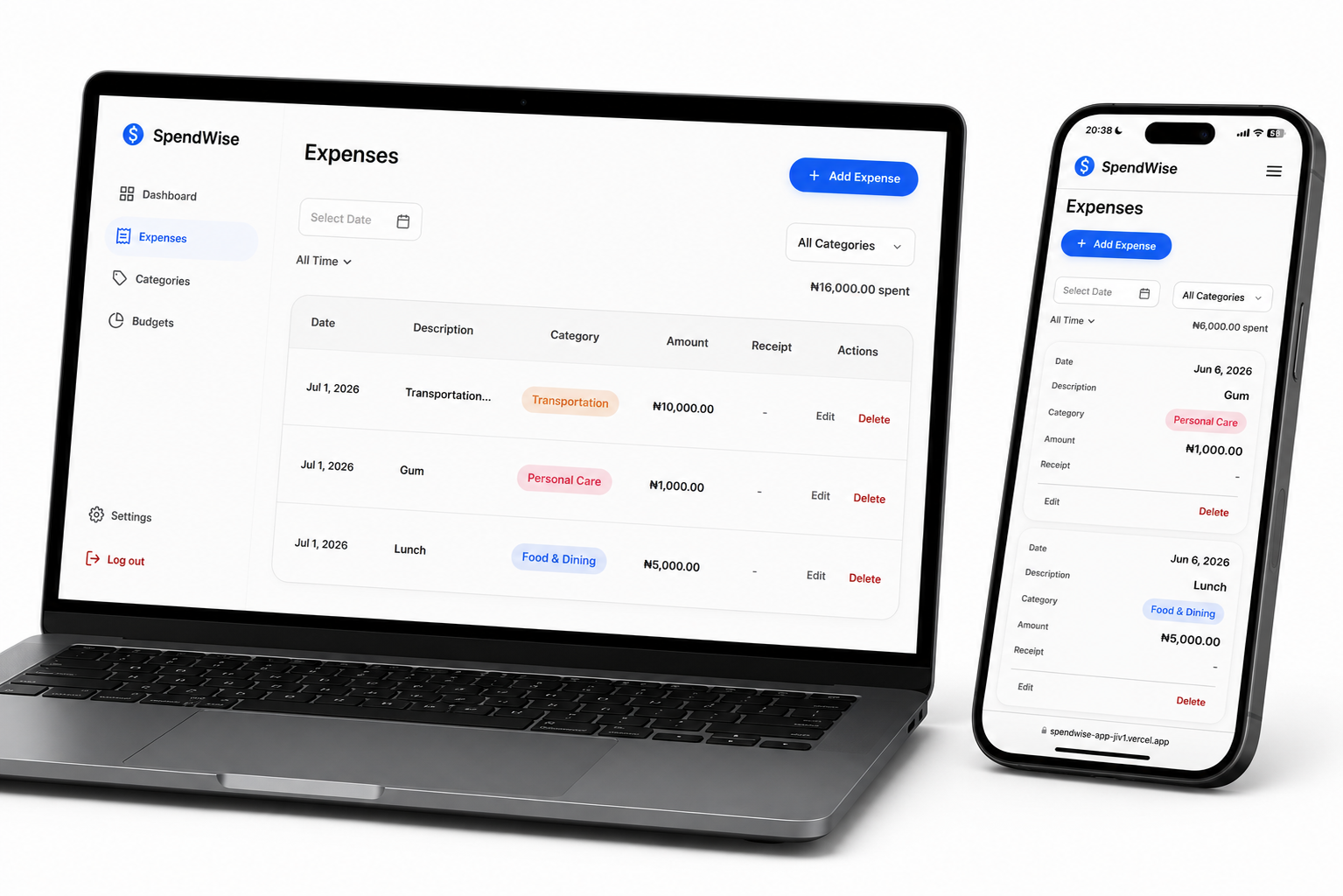
Every recorded expense is stored in a searchable transaction history.
Users can easily review previous purchases, helping them understand where their money has gone without relying on memory.
Features Deferred
Several ideas were intentionally postponed to keep the MVP focused.
Examples include:
- Bank account synchronization.
- Recurring expense automation.
- Shared household budgets.
- Savings goals.
- Investment tracking.
- Bill payment reminders.
- AI-powered spending insights.
These features may become part of future versions but were not essential to validating the product's core value.
User Flow
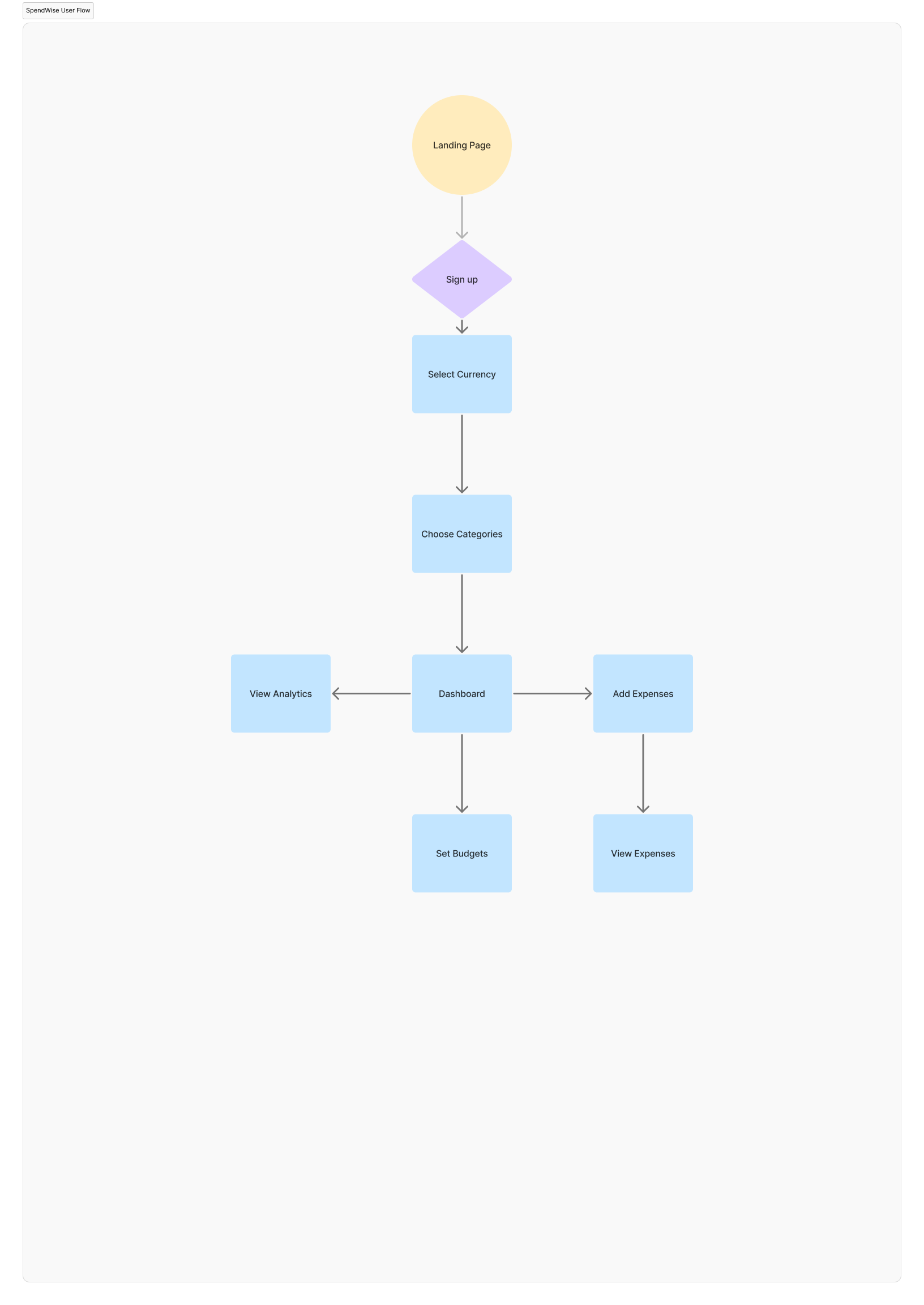
The experience was designed to make expense recording feel quick, natural, and repeatable.
Wireframes
Early wireframes focused on reducing the number of interactions required to complete common tasks.
Special attention was given to:
- Clear navigation.
- Fast expense entry.
- Mobile usability.
- Dashboard readability.
- Simple financial summaries.
Several iterations helped refine the overall workflow before visual design began.
Design System
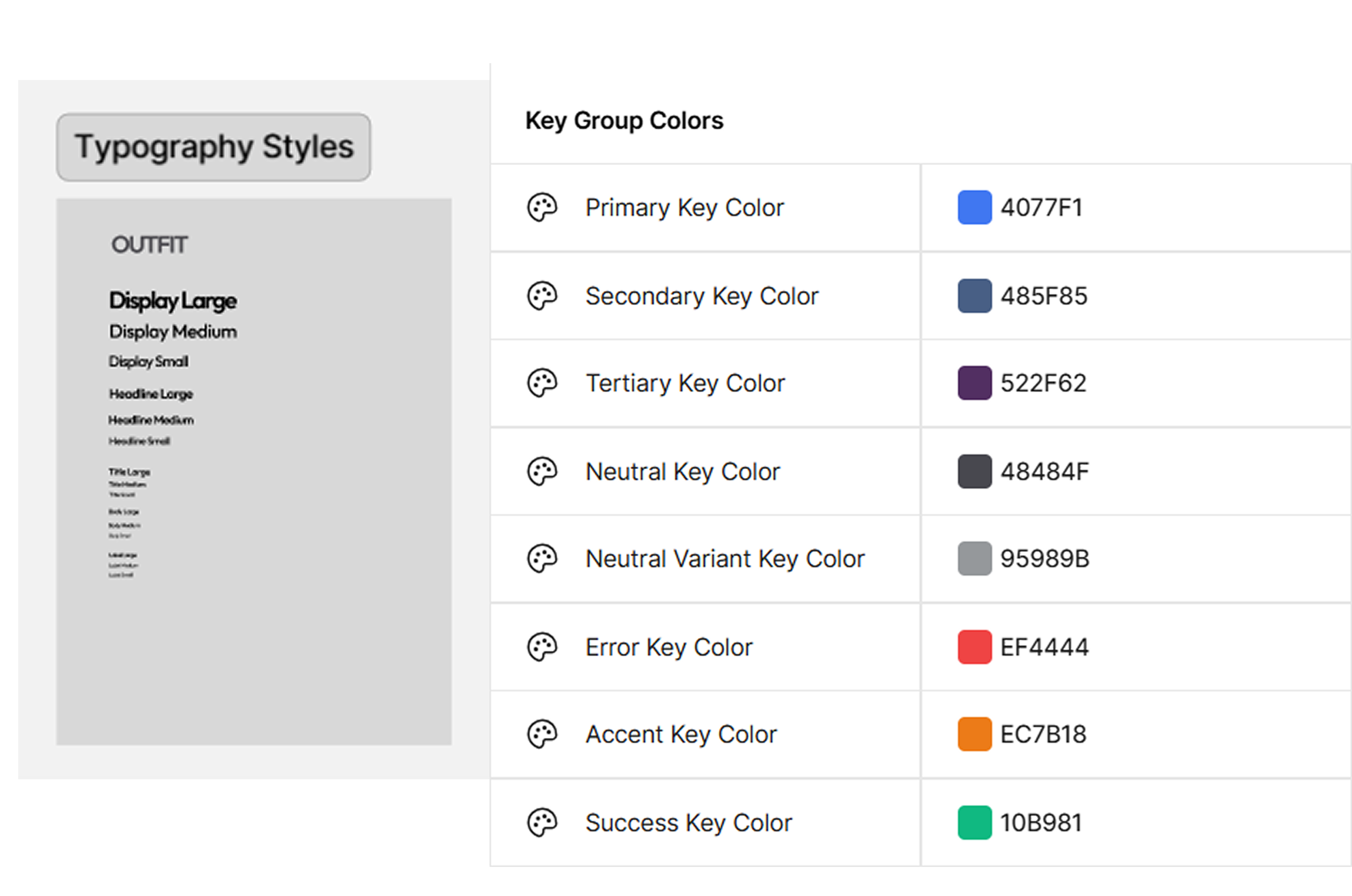
A reusable design system was created to ensure consistency across the application.
The system standardized:
- Colors.
- Typography.
- Buttons.
- Cards.
- Form controls.
- Icons.
- Layout spacing.
A consistent visual language helps users navigate the application confidently while supporting future scalability.
High-Fidelity Designs
The final interface emphasizes simplicity, readability, and speed.
Every screen was designed to reduce unnecessary decisions while making financial information easy to understand at a glance.
The experience is optimized for both mobile and desktop users, ensuring users can track expenses wherever they are.
Key Product Decisions
Building SpendWise wasn't about adding as many features as possible.
The biggest challenge was deciding what not to include.
Every design decision was guided by one question: How can expense tracking become something people actually stick with?
Key Learnings
This project strengthened my ability to:
- Design products around everyday habits.
- Simplify complex user workflows.
- Prioritize usability over feature quantity.
- Build intuitive financial dashboards.
- Connect UX decisions with long-term user engagement.
- Create products that encourage consistent behavior.
Most importantly, SpendWise reinforced the idea that awareness is the first step toward better decision-making.
Closing Thoughts
SpendWise started with a simple observation: many people don't necessarily struggle because they spend too much—they struggle because they don't know where their money goes.
By reducing the friction involved in tracking expenses, SpendWise helps users build awareness before they build budgets.
This project reminded me that effective product design isn't always about introducing more functionality.
Sometimes, the greatest value comes from removing complexity and making everyday tasks feel effortless.
That philosophy continues to shape how I approach every product I design and build.